Transcribe
Local speech models with hardware acceleration and precise timelines.
Transcribe, translate, refine, dub and export global-ready videos—without sending your footage to someone else's cloud.
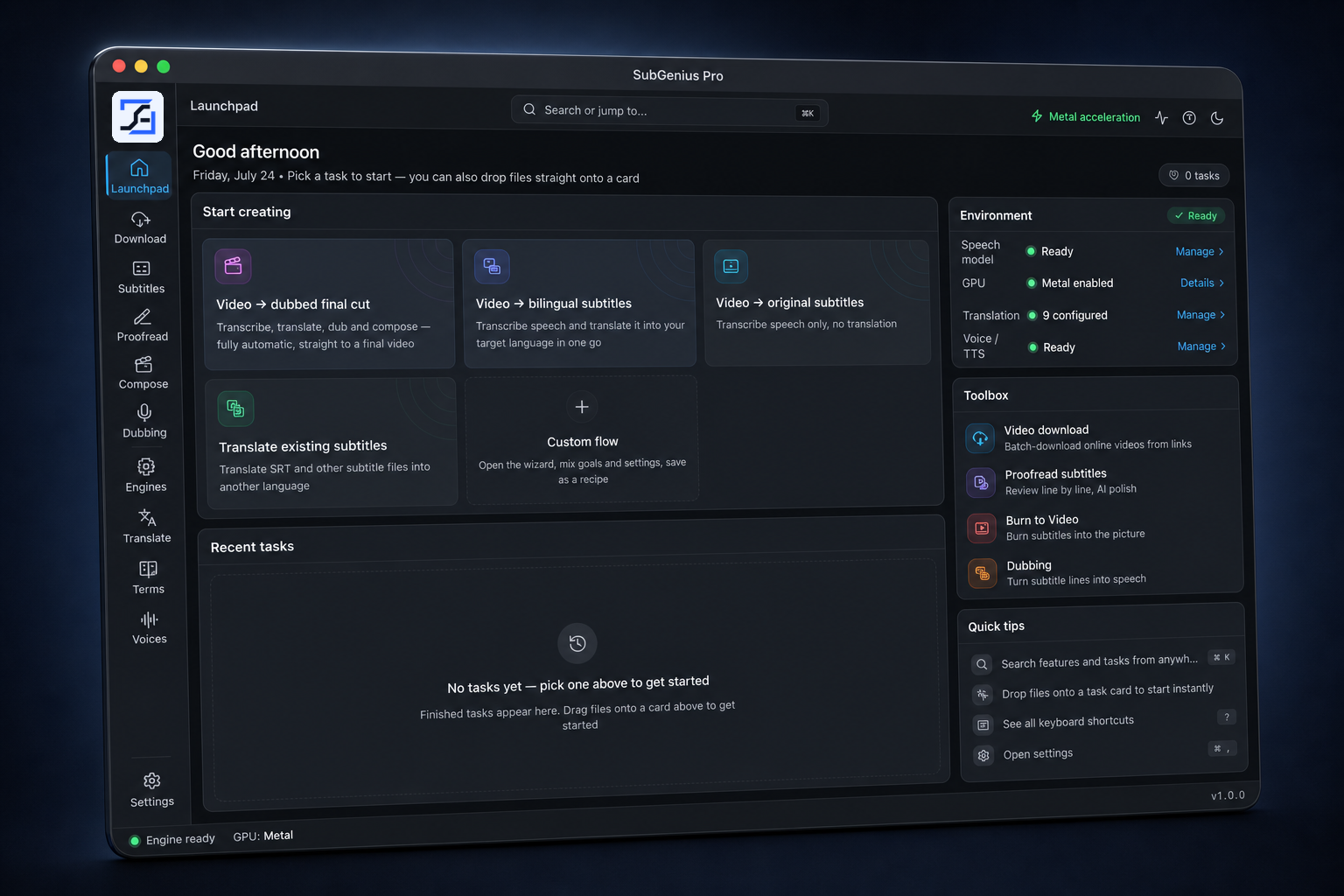
Media and content never leave this device by default—and local processing is the architecture, not a setting buried in a menu.
Local speech models with hardware acceleration and precise timelines.
Multilingual output with terminology and line-alignment controls.
Edit against picture, search, split, merge and polish every line.
Generate timed multilingual voice tracks from supported local engines.
Burn in, soft-embed or deliver subtitle files and finished media.
Pick a card—or drop a video onto one. Models and footage stay on this computer.
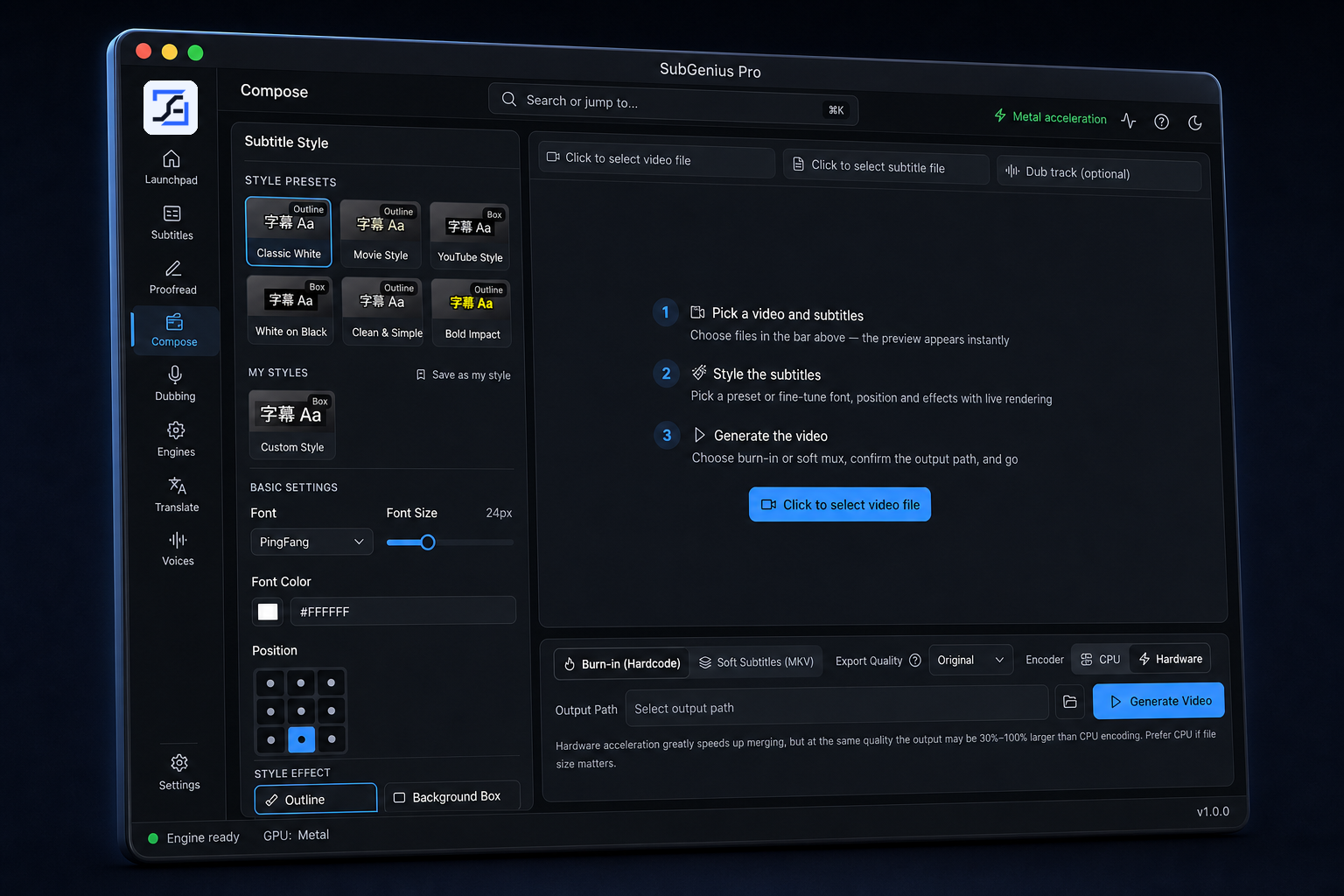
Burn in or soft-embed subtitles, then generate the cut on-device.
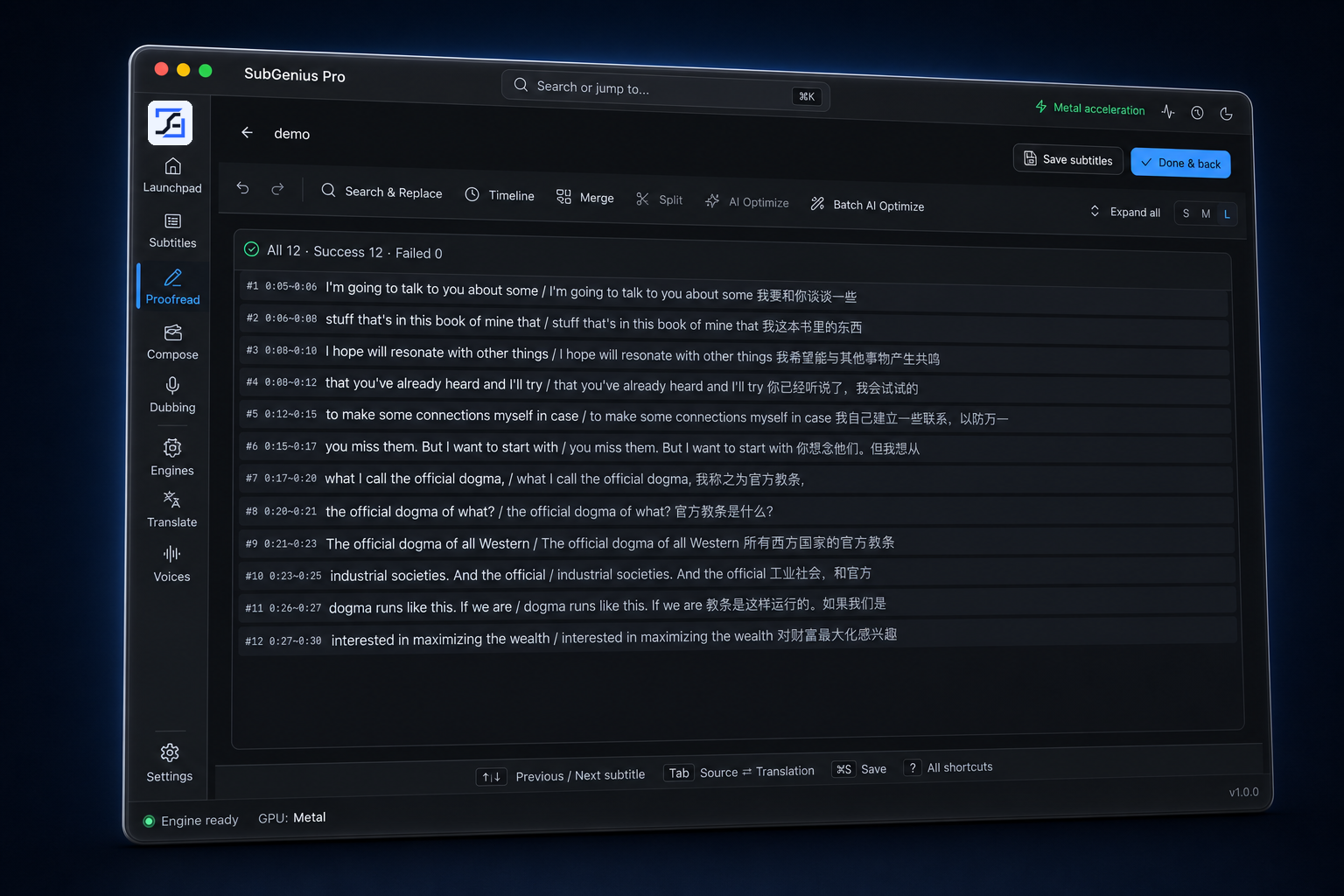
Search, split, merge and AI-optimize against picture—without uploading the cut.
Download models once, then put Apple silicon, NVIDIA, AMD, Intel or CPU resources to work locally.
Turn one edit into subtitles, translations and voice tracks for audiences around the world.
Review every line beside the video. Keep names, terms, rhythm and timing under your control.
Use Google-only login to subscribe and manage devices. Paddle acts as Merchant of Record.
Every newly registered Google account gets 60 minutes of cumulative foreground App use—enough to run your own footage through the actual local workflow.
The clock advances while SubGenius Pro is actively used in the foreground. Closing or backgrounding the App pauses foreground-use accumulation.
Remaining foreground-use time. At 10 minutes, the App shows a quiet, non-blocking reminder. At zero, it presents the purchase dialog below.
Finish the thought. Save the line. The notice stays out of the creative path.
The App uses a local monotonic clock. Separately, the service records minimal authorization heartbeats and validates trial use.
Offline use relies on a signed trial lease with progress stored securely on the device.
Trial eligibility belongs to the Google account. Reinstalling the App does not reset the hour.
Every plan includes the complete local workflow, no usage cap on local processing minutes, and the same architecture: your media does not upload to SubGenius Pro. Device count is how many desktops can run the app at the same time.
Use SubGenius Pro on up to 2 devices at the same time
Use SubGenius Pro on up to 10 devices at the same time
Use SubGenius Pro on up to 20 devices at the same time
Use SubGenius Pro on up to 100 devices at the same time
The primary action opens the official website checkout in the system browser. Paddle's webhook updates the server entitlement; the website then calls subgeniuspro://billing/success to wake the App.
Your files and work remain on this device. Sign in with Google, then choose a monthly plan to continue.
Choose your platform. On Mac, pick Apple Silicon or Intel. You get the latest published installer for that chip, plus the release notes. No sign-in required.
macOS · Apple Silicon
SubGenius Pro_Mac_1.0.2_arm64.dmg · 215 MB
Title SubGenius Pro 1.0.2 Description SubGenius Pro 1.0.2 connects to https://subgeniuspro.com for sign-in, license, billing, and updates. Sign in with Google through the official site. Fixes the 1.0.0 “Google OAuth is not configured” error. Invite friends from Settings. If you do not have a code yet, one is created automatically. When a new user registers with your code, free accounts get +4 hours and paid plans get +7 days. Desktop sign-in registers the device in admin. Trial starts the first time you open the app and keeps counting after you quit. Extra free hours stack if time is left; if it already ran out, a new grant starts the next time you open the app (immediately if the app is already running). If an admin voids the account, the app signs out at once and on next launch, and shows the reason. The same email can register again as a new user. Plan and trial changes update in the app while it is online. Notes macOS is unsigned. If Gatekeeper blocks it: xattr -cr "/Applications/SubGenius Pro.app" Windows SmartScreen may warn on first launch.